Tips for Creating a Cozy and Productive Home Office Space
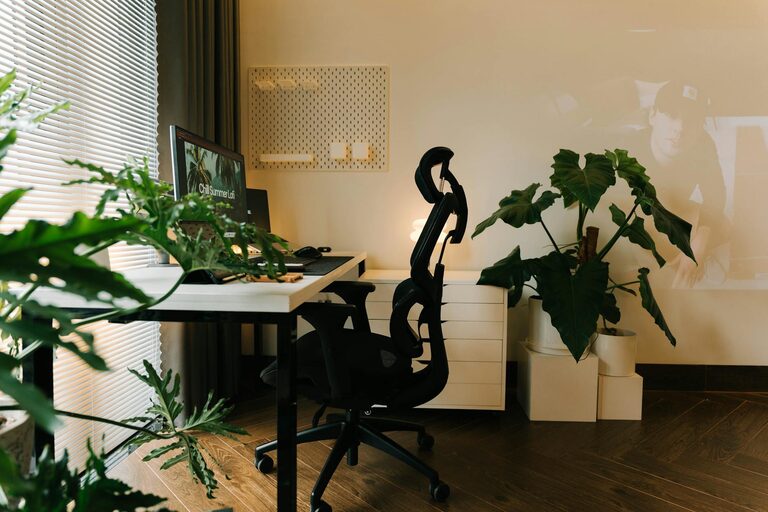
Creating a cozy and productive home office space is essential for anyone who works remotely or spends significant time on tasks at home. A well-designed workspace can help improve focus, increase efficiency, and reduce stress. In this post, we’ll explore practical tips to help you craft an environment that is both comfortable and conducive to productivity.
Choose the Right Location
Consider Natural Light
Natural light has a positive impact on mood and energy levels. Whenever possible, place your desk near a window to benefit from daylight. Avoid direct glare on your computer screen by positioning it perpendicular to the window.
Minimise Distractions
Select a quiet corner or a separate room to set up your office. If space is limited, use room dividers or noise-cancelling headphones to create a sense of isolation and reduce background noise.
Invest in Comfortable Furniture
Ergonomic Chair
A good chair supports your posture and reduces strain during long working hours. Choose an ergonomic model with adjustable height and lumbar support.
Functional Desk
Pick a desk that matches your workflow and available space. Consider options with enough surface area to hold your computer, notebooks, and other essentials without clutter.
Add Soft Textiles
Incorporate cushions, throws, or a small rug to add warmth and coziness to your office space, making it more inviting.
Organise Your Workspace
Declutter Regularly
Keep your desk tidy by removing unnecessary items daily. A clutter-free environment helps maintain mental clarity.
Use Storage Solutions
Invest in shelves, drawers, or organisers to keep documents and supplies neatly stored out of sight yet easily accessible.
Cable Management
Messy cables can distract and look unprofessional. Use clips, sleeves, or under-desk trays to keep cables organised.
Personalise Your Space
Add Plants
Houseplants improve air quality and add a touch of nature that can boost creativity and reduce stress.
Display Inspiring Items
Photos, artwork, or motivational quotes can create a positive atmosphere and make the space feel uniquely yours.
Choose Soothing Colours
Use colours that make you feel calm and focused. Soft blues, greens, or neutral tones are often good choices for workspaces.
Optimise Lighting
Task Lighting
Complement natural light with a good desk lamp that avoids shadows and reduces eye strain, especially during evening work sessions.
Ambient Lighting
A softly lit room can create a relaxing atmosphere that helps prevent burnout.
Maintain a Healthy Work Routine
Take Breaks
Remember to stand up, stretch, or take a short walk every hour. This maintains circulation and refreshes your mind.
Set Boundaries
Define clear working hours to separate professional time from personal life, supporting a healthy work-life balance.
Keep Hydrated
Having a water bottle nearby encourages you to drink regularly, supporting overall well-being.
Use Technology Wisely
Choose the Right Tools
Invest in reliable devices and software that facilitate your tasks. Consider noise-cancelling headphones or a second monitor for increased efficiency.
Minimise Digital Distractions
Turn off unnecessary notifications and use focus mode features to stay concentrated.
—
By thoughtfully combining comfort with functionality, your home office can become a place where you enjoy working and achieve your goals effectively. Use the tips above to design a space tailored to your needs and preferences, enhancing both your productivity and well-being.