Tips for Creating a Cozy and Productive Home Office Environment
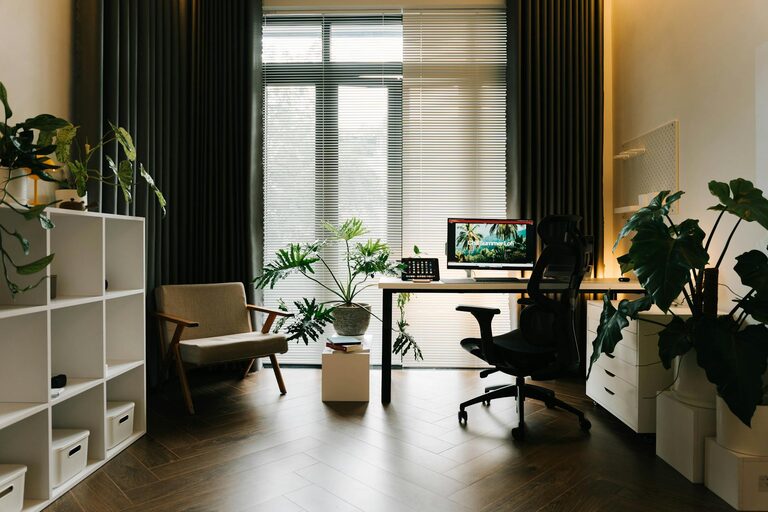
Creating a home office that is both cozy and productive can significantly enhance your work-from-home experience. A well-designed workspace helps you stay focused, reduces stress, and makes your day more enjoyable. Whether you have a dedicated room or just a small nook, these tips will help you create an environment that supports your work goals and invites comfort.
Choose the Right Location
Start by selecting a quiet, well-lit spot in your home. Ideally, this should be away from high-traffic areas where distractions are common.
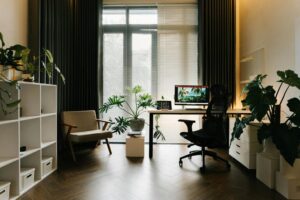
– Natural light is key: Position your desk near a window to benefit from natural daylight. It improves mood and reduces eye strain.
– Consider privacy: If possible, pick a room you can close off to create a boundary between work and home life.
– Avoid noisy areas: Try to stay away from the kitchen or living room if others are often bustling around.
Invest in Comfortable Furniture
Your office furniture impacts both your comfort and posture, which in turn affects productivity.
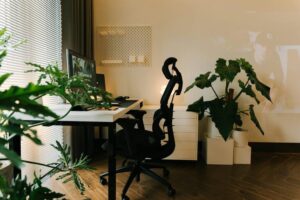
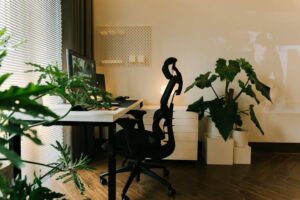
– Ergonomic chair: Choose a chair with adjustable height, lumbar support, and comfortable padding to protect your back during long hours.
– Desk height: Ensure your desk allows your arms to rest comfortably at a 90-degree angle when typing.
– Flexible layout: Consider a sit-stand desk for the option to alternate your position throughout the day.
Optimize Lighting
Lighting influences energy and focus levels. Proper lighting can reduce fatigue and keep you alert.
– Balanced lighting: Combine natural light with soft, warm artificial lighting.
– Task lighting: Use a desk lamp with adjustable brightness to reduce eye strain during detailed work.
– Avoid glare: Position screens and lights to minimize reflections.
Organize Efficiently
Clutter is a common enemy of productivity. Clear, organized spaces help your mind stay clear too.
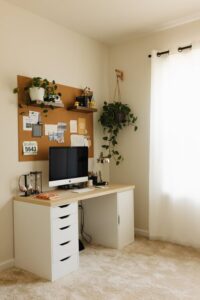
– Storage solutions: Use shelves, drawers, and boxes to keep supplies orderly.
– Cable management: Tame cords with clips or sleeves to avoid a tangled mess.
– Daily tidying: Spend a few minutes at the end of each day to organize your desk.
Personalize Your Space
Adding personal touches makes your workspace inviting and comfortable, without being distracting.
– Decor: Choose a few meaningful items like plants, artwork, or photos.
– Colors: Use calming or inspiring colors, such as soft blues or greens.
– Comfort items: A cozy blanket or a favorite mug can create a positive atmosphere.
Set Boundaries and Routines
Having clear work-life boundaries is essential in a home office.
– Work hours: Define your start and finish times and stick to them.
– Breaks: Plan regular short breaks to stretch and refresh.
– Signage: Use signals like a closed door or a “busy” sign to minimize interruptions.
Use Technology Wisely
Technology can enhance your workflow but can also cause distractions if not managed well.
– Reliable equipment: Invest in a good internet connection and quality hardware.
– Noise control: Use headphones or white noise machines to stay focused.
– App management: Turn off non-essential notifications during work periods.
Create a Healthy Environment
Your health and wellbeing matter just as much as productivity.
– Air quality: Keep your workspace ventilated or use an air purifier.
– Plants: Incorporate greenery to improve air quality and reduce stress.
– Movement: Incorporate stretches, desk exercises, or a reminder to move regularly.
Final Thoughts
Designing a home office that balances coziness and productivity is about making thoughtful choices that support your needs. With the right environment, furniture, organization, and habits in place, you can create a space that makes working from home more enjoyable and effective. Remember, your workspace should inspire you to do your best work while providing comfort and ease. Start small, be consistent, and watch your productivity and wellbeing grow.